
A dedicated Python module for controlling Micromelon Rovers and simulated rovers from any Python environment. Perfect for senior students ready to move beyond the Code Editor.
$ pip install micromelonThe Micromelon Python library gives students full control of their rover using standard Python. Use it in VS Code, PyCharm, Jupyter Notebooks, or any environment that runs Python.
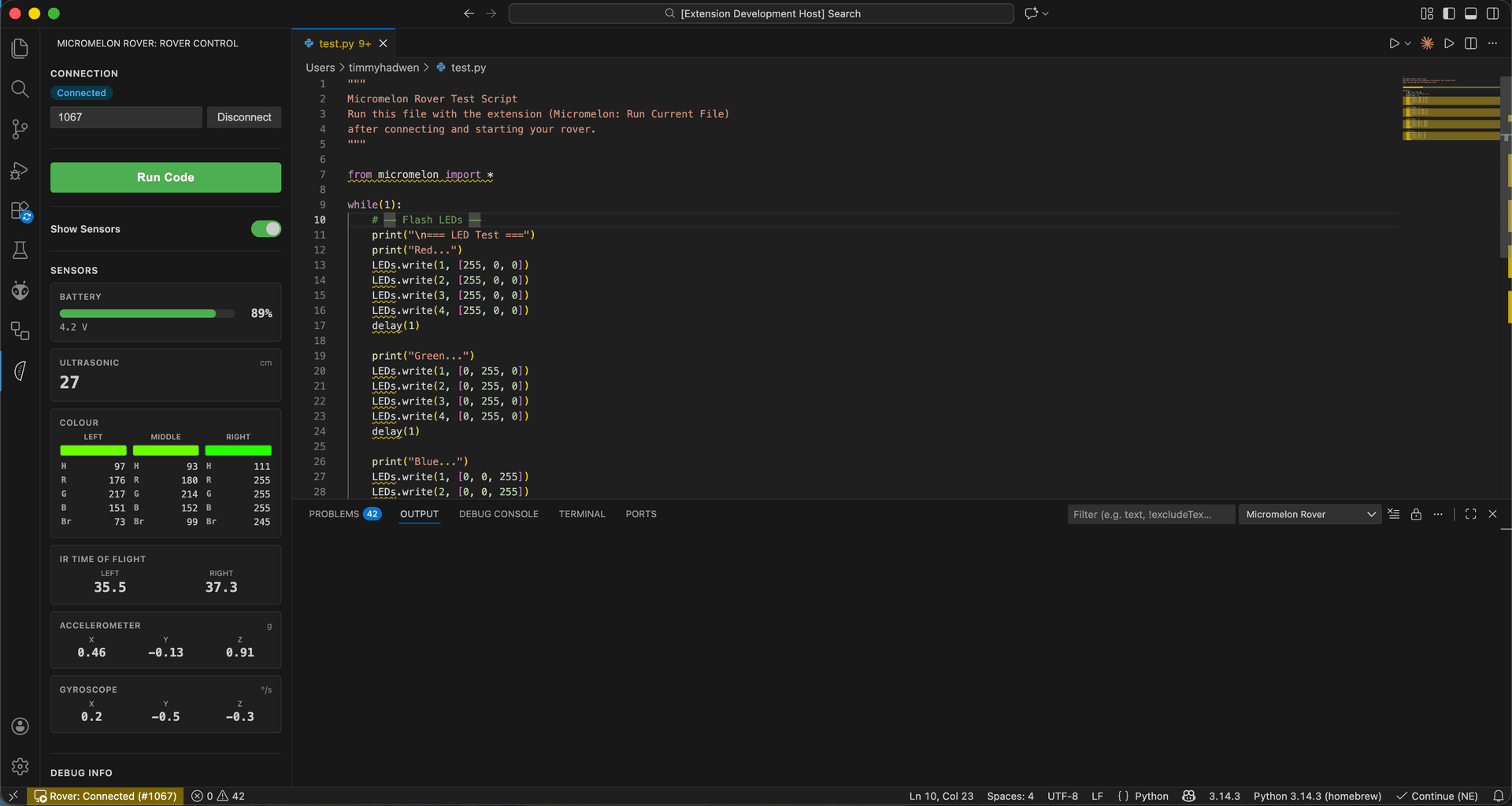
Connect to your rover, run scripts, and view live sensor data without leaving your editor. Hit F5 to deploy your code to the rover instantly.
One-Click Connect
Connect to any rover by ID over Bluetooth Low Energy
Run with F5
Deploy and run your Python script on the rover instantly
Live Sensors
Real-time dashboard for ultrasonic, colour, IR, accelerometer & gyroscope
Code Snippets
Type mm- for ready-made templates for motors, sensors, LEDs & sounds
Control motors, read sensors, play sounds, and set LEDs with a clean, well-documented Python API.
Connect to a simulated rover just as easily as a physical one. Test and iterate without hardware.
VS Code, PyCharm, Jupyter Notebooks, or a plain terminal. Students work in the tools real developers use.
Combine the rover with other Python libraries for computer vision, data analysis, machine learning, and more.
The Python library is the final step. Students who started with blocks in Junior and progressed through the Code Editor can now write professional Python.
Install the library and start controlling your rover in minutes.