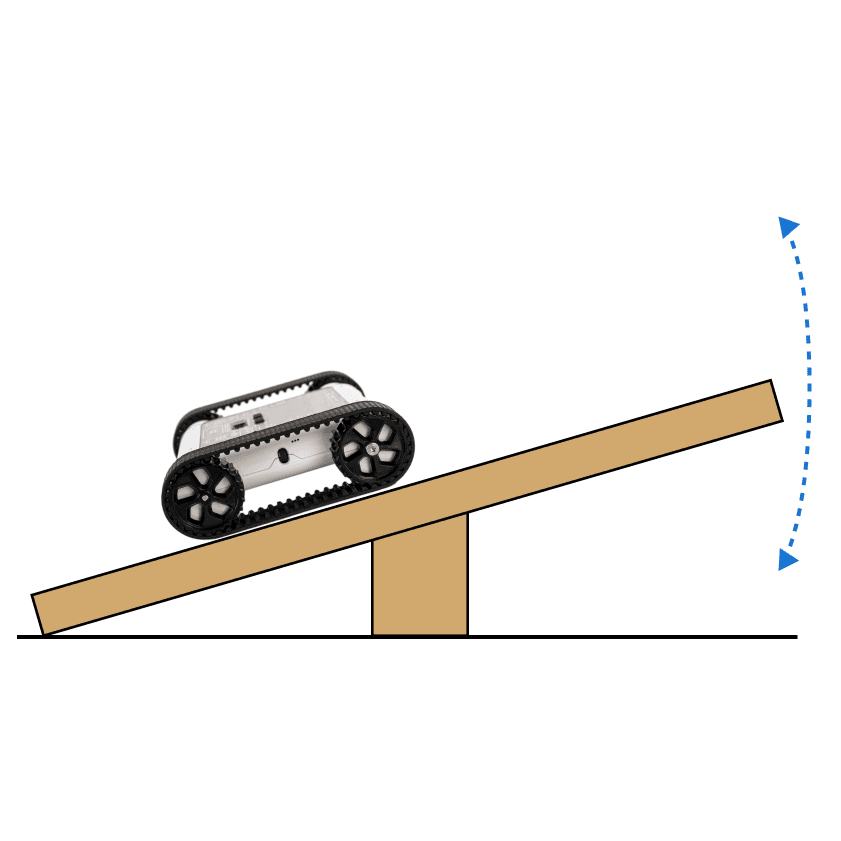
Challenge students to program their Rover to always try and stabilise itself. When complete, the Rover will turn and drive upwards on any tilted surface. Once the surface is flat, it should stop moving, meaning the Rover will balance on a see-saw. Students will need to use data from the accelerometer to control the motors based on the orientation of the Rover.
Setup

Balance Bot setup, a hard-cover book on a small wooden see-saw
We use a large hard-cover book for this challenge as a platform. Any flat surface that can be moved and tilted will work. When the object is tilted, the Rover should move up the surface to try to stabilise. When the surface is flat, the Rover has found balance and won’t move.
You can also use a see-saw board or a circular wobble board for this exercise. We use a see-saw board built from two pieces of wood, as pictured.
Our Approach
Stage 1: Single-Axis Balancing

Example code for single-axis balancing
Using an IF statement block, check if the X axis of the accelerometer is above or below zero. If it’s above, use a motor block to move forward; otherwise, use the motor block to move backward.
Stage 2: Smoother Adjustments
To make the Rover move smoothly and make fine adjustments, use a Scale Number block to scale the X-axis value (between −1 and 1) to motor speeds between −30 and 30.
Stage 3: Multi-Axis Balancing

Example code for multi-axis balancing
To make the program work for a circular board, also take the Y axis of the accelerometer into account. Use the same Scale Number block to create a variable called rotation that you include in the motor block. Since the speed variable determines how fast the motors move forwards or back, the rotation modifier needs a + or − sign, the Rover rotates by making its tracks move in opposite directions.