Micromelon Robotics
Platform
Resources
NewsAbout UsDownload
Support
Build Your Kit

Stay in the loop

New activities, teaching guides, and product updates delivered to your inbox.

Micromelon Robotics

Australian-made educational robotics for the next generation of innovators.

contact@micromelon.com.au

Company

  • About Us
  • Privacy Policy
  • Terms and Conditions

Products

  • Micromelon Rover
  • Code Editor
  • Robot Simulator
  • Junior
  • Python Library

Support

  • Resources
  • News
  • Rover Repairs
  • Contact
  • Build Your Kit

© 2026 Micromelon Robotics Pty Ltd. All rights reserved.

ABN 56 623 302 296

← Back to Resources
ActivitiesAdvanced

Activity: Driving School Basics

Coding Skills

BranchingIterationAlgorithm Design

Rover Concepts

ColourUltrasonicIRMotors
Activity: Driving School Basics

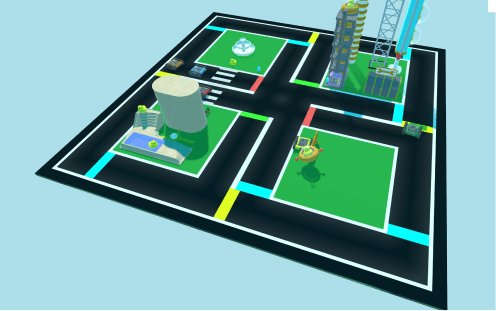
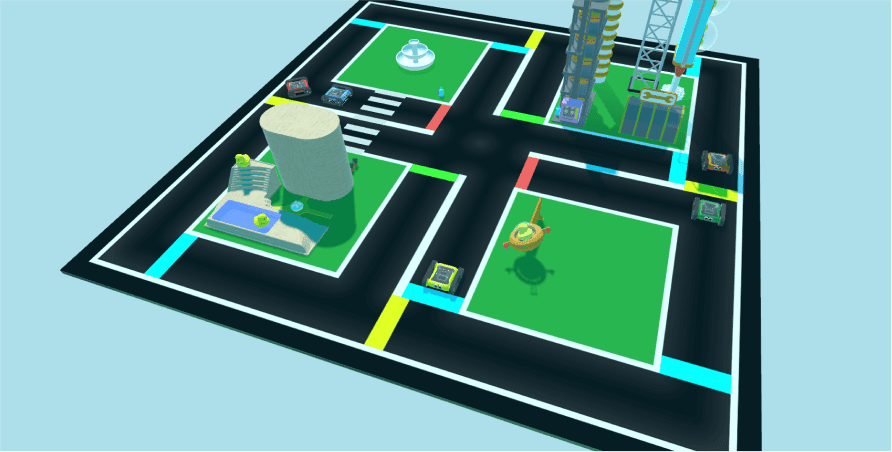
Driving School is a virtual robot playground with ducks, obstacles, and traffic lights in the Micromelon Robot Simulator. In Driving School Basics, we program the Rovers to stay in the centre of the lanes while avoiding ducks and other Rovers.

Driving School activity in the Robot Simulator

Setup

This exercise has no physical setup, it’s completed in the Micromelon Robot Simulator. To learn more about the Robot Simulator, check out the getting started guide.
Getting Started With The Robot SimulatorRelated resourceGetting Started With The Robot SimulatorHow to get started with the Micromelon Robot Simulator.

Our Approach

Stage 1: Loop with Branching

Add a While True loop with an IF / ELSE IF / ELSE statement so we can continuously ask the Rover questions about its environment.

Stage 2: Stay Centred Using the Colour Sensors

The simulator’s roads have a slight brightness gradient towards the edges, so the colour sensors can work out where the Rover is on the road. Use an IF / ELSE IF / ELSE with the colour sensor blocks to work out whether it’s too far left or right. Use the Set Motor Speeds block to slightly turn left or right and adjust position.

Stage 3: Don’t Hit the Duck!

Use the front ultrasonic sensor distance block to make the Rover wait for the duck to cross. This also avoids other Rovers.

Example code, driving-school algorithm
Example code, driving-school algorithm
Continue Learning

Activity: Lane GuidanceRelated resourceActivity: Lane GuidanceLearn iteration, branching, algorithm design, maths, and how to use the motors, ultrasonic, and IR sensors.

Activity: Balance BotRelated resourceActivity: Balance BotLearn iteration, algorithm design, maths, and how to use the Rover’s accelerometer and motors.

Getting Started With Proportional ControlRelated resourceGetting Started With Proportional ControlAn introduction to proportional control, what control systems are, the key components, and how to apply proportional control on the Micromelon Rover.

← Return to Resources