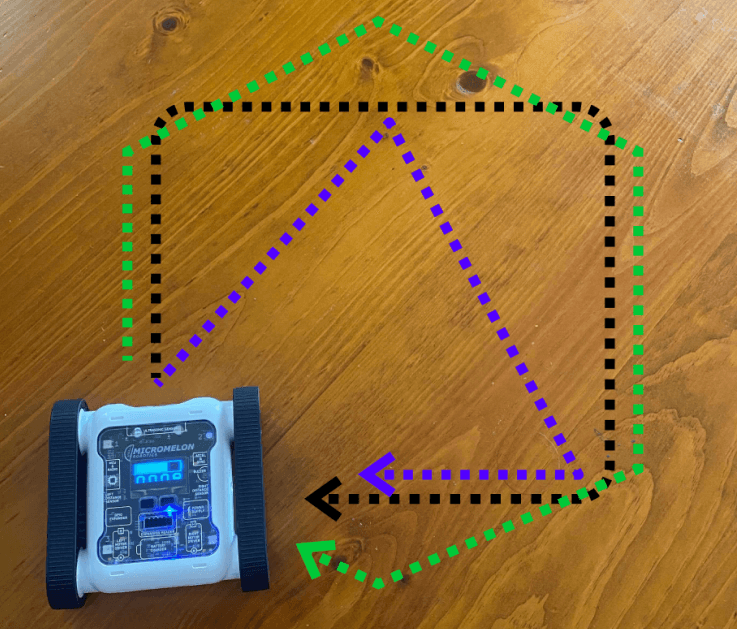
Program the Rover to request a number from the user, then drive in a shape with that many sides. For more advanced maths, make the Rover draw a shape with uneven side lengths.
Setup
All you need is a flat, uniform surface to drive on. Different surfaces have different friction properties, so the tracks will slip differently depending on where the Rover is driving. Some movement blocks (like Turn by Degrees) are calibrated for an average friction, on other surfaces you may need to turn more or less to get the desired angle.
Our Approach
Stage 1: Ask for a Number of Sides
Use the Request Input block to ask for the number of sides. This block returns a text string, so convert it to an integer so it can be used as a number. Store the result in a variable called sides.
Stage 2: Loop Once Per Side
Once you have the number of sides, create a Repeat for Number loop and place the sides variable in the loop count. The loop runs once for each side.
Stage 3: Draw Each Side
Inside each iteration, draw a side: move forward, then turn by degrees. Calculate how many degrees to turn each time using a simple math operation, divide 360 by the number of sides.

Example code, drawing a user-defined shape