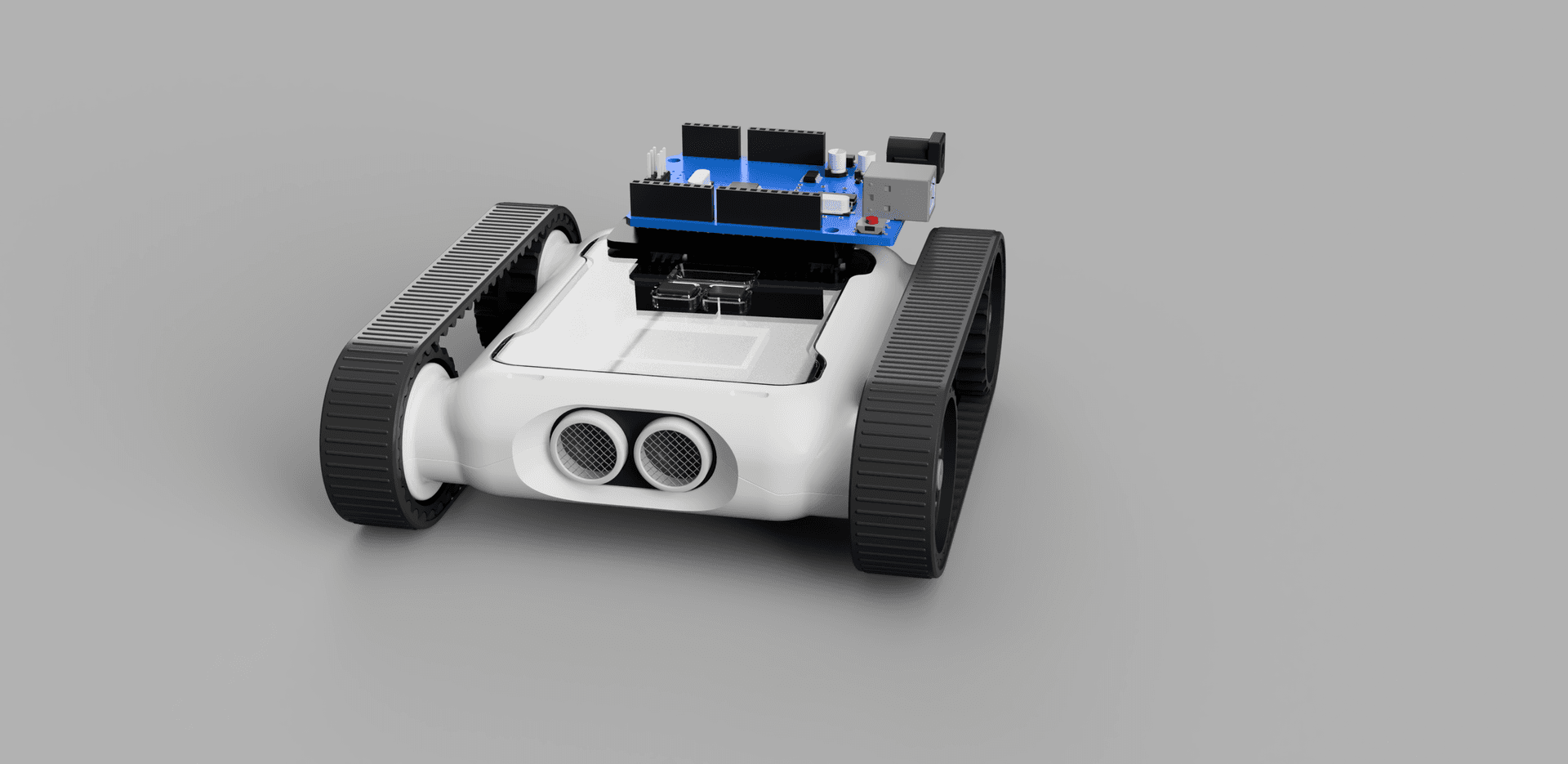
In this tutorial, we will show you how to use the rover as a data collection device to assist with analysis and experiments.
Why Collect Data?
While the print function can display values on the terminal, sometimes we need to see many lines of information from different stages of the code. With this technique, we can record data from each sensor at any point in the code and edit it in a Microsoft Excel file. This lets us analyse tables and graphs of data for an array of purposes, maybe the Rover could be used in science experiments, or maybe you need to see how the colour sensors perform on different materials.
How to Use the Code
This code must be used in an external code editor. If you’re not familiar with that, see the Python module guide first.
Below is the whole code used to record sensor data from the Rover. Once the code has finished running, there will be a data.csv file in the same folder as the code containing the recorded data. Make sure to copy the data into an Excel file: this CSV is overwritten each time the code is run.
Copy the code below into your code editor, then scroll down to see how to use it.
from micromelon import *
import csv
import time

rc = RoverController()
rc.connectBLE(1) # Enter the number for your rover
rc.startRover()

START_TIME = time.time()

def current_time():
    """
    Returns the time elapsed since the start of the code

    Returns:
        int: Seconds since the start of the code
    """
    return time.time() - START_TIME

# Below, uncomment the sensor data you wish to record
sensors = {
    'Time': current_time,
    'Ultrasonic': lambda: Ultrasonic.read(),
    'Brightness_Left': lambda: Colour.readSensor(CS.BRIGHT, sensor = 0),
    'Brightness_Middle': lambda: Colour.readSensor(CS.BRIGHT, sensor = 1),
    'Brightness_Right': lambda: Colour.readSensor(CS.BRIGHT, sensor = 2),
    'IR_Left': lambda: IR.readLeft(),
    'IR_Right': lambda: IR.readRight(),
    'Accelerometer_x': lambda: IMU.readAccel(0),
    'Accelerometer_y': lambda: IMU.readAccel(1),
    'Accelerometer_z': lambda: IMU.readAccel(2),
    'Gyro_x': lambda: IMU.readGyro(0),
    'Gyro_y': lambda: IMU.readGyro(1),
    'Gyro_z': lambda: IMU.readGyro(2),
    'Gyro_Accumulated_x': lambda: IMU.readGyroAccum(0),
    'Gyro_Accumulated_y': lambda: IMU.readGyroAccum(1),
    'Gyro_Accumulated_z': lambda: IMU.readGyroAccum(2),
}

def record_data(output_file):
    """
    Read all of the given sensors and record each of the values to memory once

    Parameters:
        output_file (list[list[int,...]]): A list containing lists of integers.
        Each list of integers is a single row of data

    Returns:
        list[list[int,...]]: The output file with the new row of data in it
    """
    row = []
    for key in sensors.keys():
        row.append((sensors[key])())
    output_file.append(row)
    return output_file

def write_data(output_file):
    """
    write the output file into a CSV file with each of the sensor names as
    headers

    Parameters:
        output_file (list[list[int,...]]): A list containing lists of integers.
        Each list of integers is a single row of data
    """
    fieldnames = sensors.keys()
    with open('data.csv', mode = 'w', newline="") as file:
        writer = csv.writer(file)
        writer.writerow(fieldnames)
        for row in output_file:
            writer.writerow(row)

delay(2)
output_file = []

# ENTER YOUR CODE BELOW THIS LINE

# DON'T ENTER CODE PAST THIS LINE
write_data(output_file)
rc.stopRover()
rc.end()
1. Enter the Rover Number
Enter the number of your Rover to connect. Make sure Bluetooth is turned on on the computer.
rc = RoverController()
rc.connectBLE(1) # Enter the number for your rover
rc.startRover()
2. Choose Your Sensors
The sensors dictionary selects which sensors we gather data from. An additional entry, Time, gives the real time since the code started running, the current_time function can be used to get the timestamp for use in your code. When a sensor is commented out, the Rover won’t record data from it.
# Below, uncomment the sensor data you wish to record
sensors = {
    'Time': current_time,
    'Ultrasonic': lambda: Ultrasonic.read(),
    'Brightness_Left': lambda: Colour.readSensor(CS.BRIGHT, sensor = 0),
    'Brightness_Middle': lambda: Colour.readSensor(CS.BRIGHT, sensor = 1),
    'Brightness_Right': lambda: Colour.readSensor(CS.BRIGHT, sensor = 2),
    'IR_Left': lambda: IR.readLeft(),
    'IR_Right': lambda: IR.readRight(),
    # 'Accelerometer_x': lambda: IMU.readAccel(0),
    # 'Accelerometer_y': lambda: IMU.readAccel(1),
    # 'Accelerometer_z': lambda: IMU.readAccel(2),
    'Gyro_x': lambda: IMU.readGyro(0),
    'Gyro_y': lambda: IMU.readGyro(1),
    'Gyro_z': lambda: IMU.readGyro(2),
    # 'Gyro_Accumulated_x': lambda: IMU.readGyroAccum(0),
    # 'Gyro_Accumulated_y': lambda: IMU.readGyroAccum(1),
    # 'Gyro_Accumulated_z': lambda: IMU.readGyroAccum(2),
}
3. Record Your Data
Now we move to the section where we record data. The section below must not loop forever: if it does, the data won’t be written to the CSV file. To record a line of data from all your selected sensors, use:
output_file = record_data(output_file)Next, we’ll show you some tips and tricks to record data:
Collect data on prompt: This code below will take a reading of data when the middle colour sensor sees black
# ENTER YOUR CODE BELOW THIS LINE
while True:
    if Colour.readSensor(CS.BRIGHT, sensor = 1) < 100:
        output_file = record_data(output_file)
        break

# DON'T ENTER CODE PAST THIS LINE
Record data for 3 seconds: This is to record all sensor data for a set amount of time
# ENTER YOUR CODE BELOW THIS LINE
start_recording = current_time()
while (current_time() - start_recording) < 3:
    output_file = record_data(output_file)

# DON'T ENTER CODE PAST THIS LINE
Control the amount of data points: If the code is recording too many data points, you can limit how often it records. In the example below, the rover only records data once every 500 iterations of the loop. Increase this number to record fewer data points.
# ENTER YOUR CODE BELOW THIS LINE
start_recording = current_time()
counter = 0
while (current_time() - start_recording) < 3:
    if not counter % 500:
        output_file = record_data(output_file)
    counter += 1

# DON'T ENTER CODE PAST THIS LINE
Demonstration

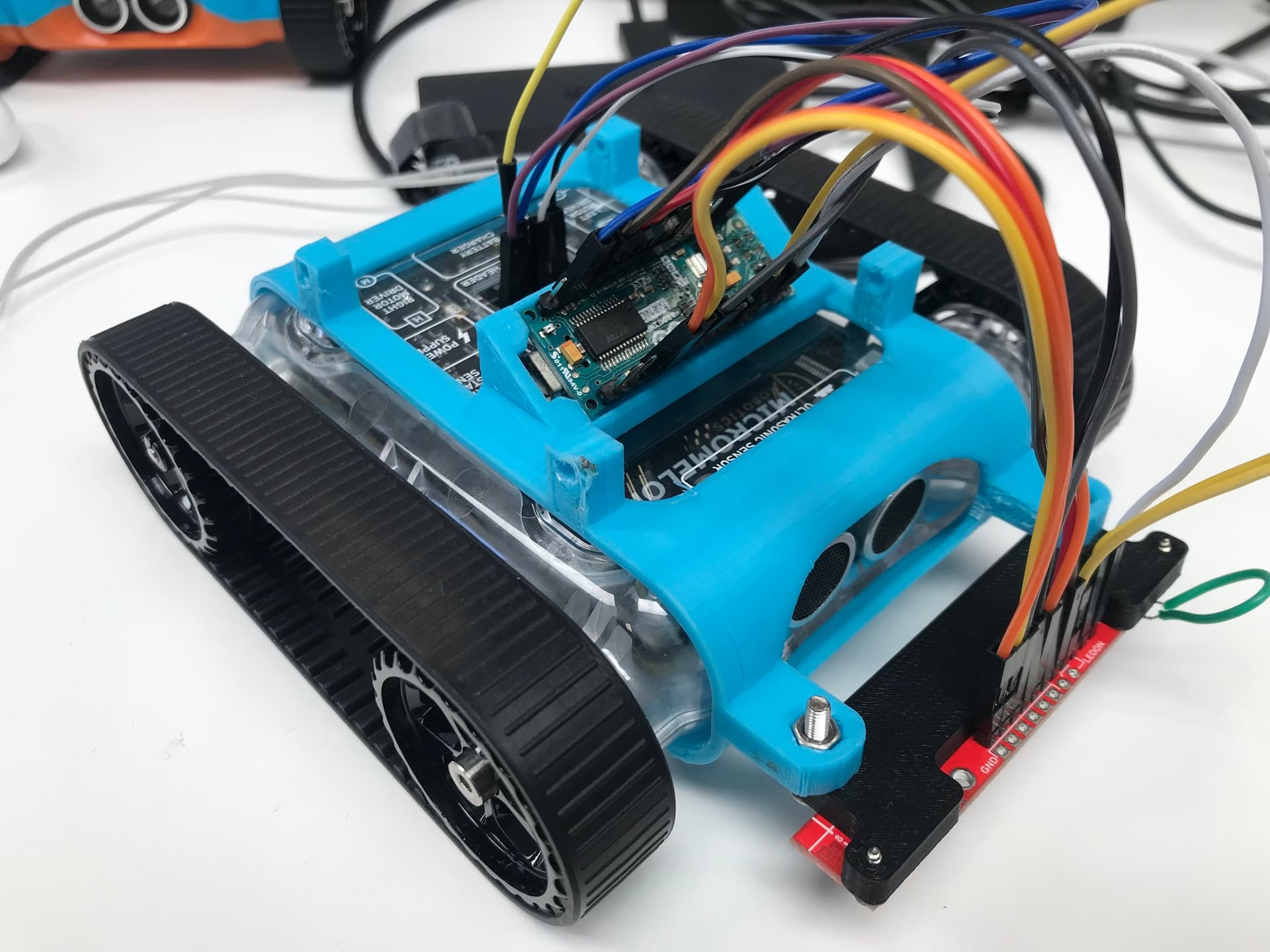
Rover on a platform with tape strips, ready to log brightness data
For our demonstration, we set up the Rover on the platform shown. The Rover drives forward and records the brightness from each colour sensor. Data-point collection is limited to once every 500 loops, and recording stops when the ultrasonic sensor sees the block at the end of the platform.
from micromelon import *
import csv
import time

rc = RoverController()
rc.connectBLE(371) # Enter the number for your rover
rc.startRover()

START_TIME = time.time()

def current_time():
    """
    Returns the time elapsed since the start of the code

    Returns:
        int: Seconds since the start of the code
    """
    return time.time() - START_TIME

# Below, uncomment the sensor data you wish to record
sensors = {
    'Time': current_time,
    # 'Ultrasonic': lambda: Ultrasonic.read(),
    'Brightness_Left': lambda: Colour.readSensor(CS.BRIGHT, sensor = 0),
    'Brightness_Middle': lambda: Colour.readSensor(CS.BRIGHT, sensor = 1),
    'Brightness_Right': lambda: Colour.readSensor(CS.BRIGHT, sensor = 2),
    # 'IR_Left': lambda: IR.readLeft(),
    # 'IR_Right': lambda: IR.readRight(),
    # 'Accelerometer_x': lambda: IMU.readAccel(0),
    # 'Accelerometer_y': lambda: IMU.readAccel(1),
    # 'Accelerometer_z': lambda: IMU.readAccel(2),
    # 'Gyro_x': lambda: IMU.readGyro(0),
    # 'Gyro_y': lambda: IMU.readGyro(1),
    # 'Gyro_z': lambda: IMU.readGyro(2),
    # 'Gyro_Accumulated_x': lambda: IMU.readGyroAccum(0),
    # 'Gyro_Accumulated_y': lambda: IMU.readGyroAccum(1),
    # 'Gyro_Accumulated_z': lambda: IMU.readGyroAccum(2),
}

def record_data(output_file):
    """
    Read all of the given sensors and record each of the values to memory once

    Parameters:
        output_file (list[list[int,...]]): A list containing lists of integers.
        Each list of integers is a single row of data

    Returns:
        list[list[int,...]]: The output file with the new row of data in it
    """
    row = []
    for key in sensors.keys():
        row.append((sensors[key])())
    output_file.append(row)
    return output_file

def write_data(output_file):
    """
    write the output file into a CSV file with each of the sensor names as
    headers

    Parameters:
        output_file (list[list[int,...]]): A list containing lists of integers.
        Each list of integers is a single row of data
    """
    fieldnames = sensors.keys()
    with open('data.csv', mode = 'w', newline="") as file:
        writer = csv.writer(file)
        writer.writerow(fieldnames)
        for row in output_file:
            writer.writerow(row)

delay(2)
output_file = []

# ENTER YOUR CODE BELOW THIS LINE
counter = 0
Motors.write(8)
while Ultrasonic.read() > 10:
    if not counter % 500:
        output_file = record_data(output_file)
    counter += 1
Motors.write(0)

# DON'T ENTER CODE PAST THIS LINE
write_data(output_file)
rc.stopRover()
rc.end()
Once the code was run, the data.csv file was opened in Microsoft Excel and graphed.
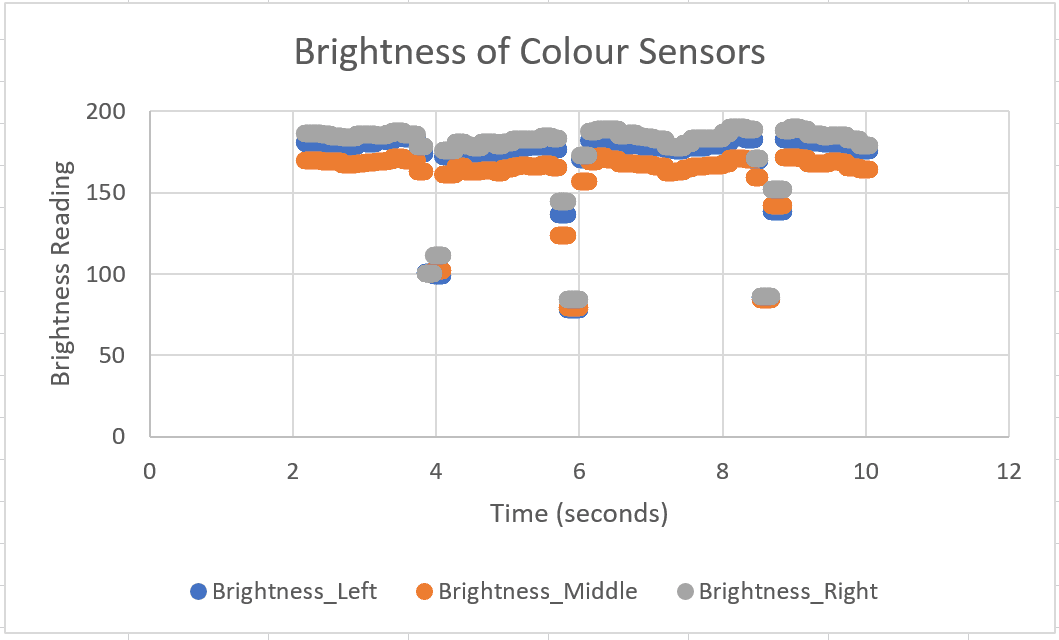
Brightness readings across the three colour sensors as the Rover crossed the tape
The graph lets us analyse how the sensors interpret the platform and the shade of the tape. Three distinct drops in the data show where the Rover passed over the tape, this kind of analysis is easy to do for the brightness readings of each colour sensor on different surfaces.