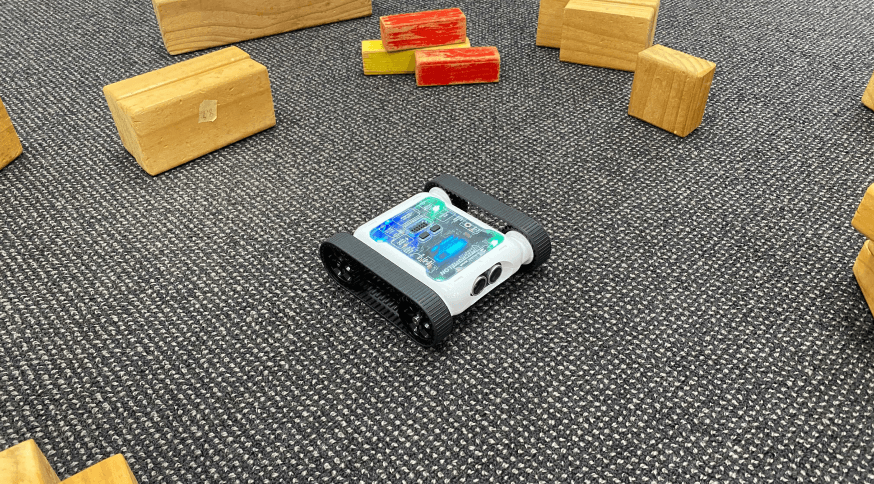
Build on the basic Bug Bot exercise by programming the Rover to have a more complex lifecycle. Create a mesh of food markers on the ground for the Rover to detect with the colour sensors. The new Bug Bot has health that goes down each second as the Rover gets hungry. When the Rover detects food on the floor, its health increases. If health reaches zero, the Rover stops (and dies).
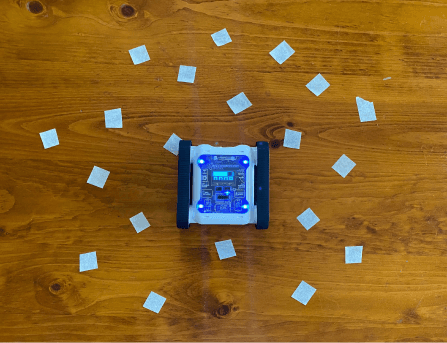
Bug Bot navigating a food-marker grid
Setup
Use coloured tape on the playing surface to act as food. Randomly place food in a 30 × 30 cm playing area, with each piece of food a roughly 1–2 cm square. Rovers will have difficulty detecting food smaller than that. Students will also struggle to detect food if they program the Rover to move at max speed, a slower Rover gets better detection.
Our Approach
Stage 1: Set Up Health and Lifecycle Loop
Create a variable for health and set it to 20. Add a While True loop so the lifecycle repeats.
Stage 2: Look for Food
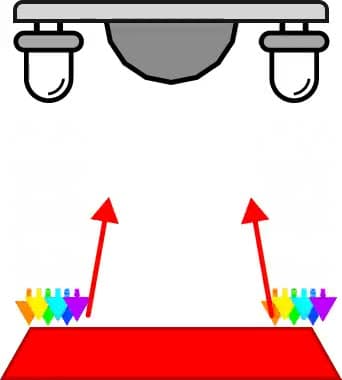
Our Bug Bot looks for food using the colour sensor block. If it detects the food colour, add 3 to the health variable and play a confirmation sound.
Stage 3: Random Movement
Use Left and Right variables set to random numbers, then feed those into a Set Motor Speeds block to create random movement. Set the movement duration to 1 second every time, important for the death countdown.
Stage 4: Reduce Life and Check for Death
Reduce health by 1. Use an IF statement to check if health has reached 0. If so, the Rover is dead; break the loop to stop the lifecycle. If health is greater than 0, display the count on the Rover’s screen.

Example code, Bug Bot lifecycle with hunger and death