Sumo is a great cumulative activity to run for Digital Technologies classes. Sumo algorithms incorporate branching and iteration, and require students to understand data types from different sensors. This post covers:
- The Digital Technologies learning objectives in sumo units.
- Setting up for sumo battles.
- Assessing successful sumo solutions.
- Building knowledge needed for sumo.

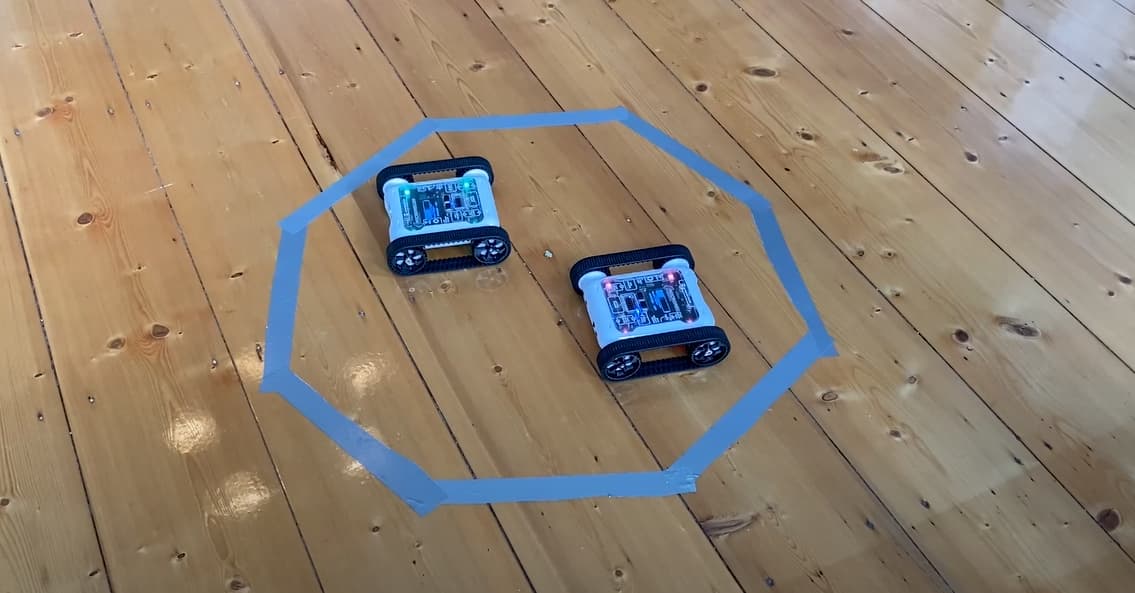
Two Rovers facing off in a sumo arena
What Skill Level Is Sumo Appropriate For?
Sumo is a great challenge for students of any skill level. The difficulty for a student is set by the opponent they have to defeat, and since students normally battle each other, they generally end up as fairly matched opponents. As the teacher you can also set the difficulty of the opponent Rover, which means sumo can scale to any skill level and remain continuously challenging. You can even seed different algorithms for students to attempt to battle as their skills progress.
Learning Objectives in Sumo Units
Branching, Iteration, and Algorithm Design
To compete in the sumo ring, students design and program a sumo algorithm using branching and iteration. Sumo algorithms typically use:
- Branching logic with IF / Else / Else If and conditional operators (
>,<,==,!=). The more complex the algorithm, the more sophisticated the branching logic needs to be as more conditions are introduced. - Iteration with a variety of Loops.
Understanding and Analysing Sensor Data
Using sensors effectively is the key to a successful sumo Rover. Students need to understand how to gather and use information from the environment in their algorithms. Possible sensor usage includes:
- The colour sensor is the most-used sensor, it detects the edges of the sumo arena and keeps the Rover from leaving.
- The infrared (IR) and ultrasonic distance sensors locate opponents for offensive moves like charging or pushing.
- More sophisticated algorithms may use the gyroscope and accelerometer: for example, using the accelerometer to detect if the Rover is being tipped over to deploy defensive measures.
The Design Process and 3D Modelling
Sumo units can be expanded with 3D-printed attachments for the Rover, e.g. battering rams or shovels attached to the front. Including a 3D-printing component lets you cover Design and Technology curriculum requirements as well. For example, students can explore 3D printing technology, its sustainability, and its pros and cons relative to other manufacturing methods. Once they have a satisfactory understanding of 3D printing, they can dive into an iterative design process to create a sumo attachment, which can include:
- Ideation, design thinking, and planning sketches on paper.
- Critiquing other designs and giving constructive criticism.
- Creating 3D models in TinkerCAD, Fusion 360, or even Blender for older students.
- 3D printing the design and attaching it to a Rover.
- Testing different print materials, like ABS or PLA.
Team Management and Planning
Sumo works as both an individual and a team-based challenge. Working in pairs or teams gives students more opportunities for creative collaboration. As with other Digital Technologies challenges, you can organise teams so each student handles a specific component of the algorithm or robot, then have them merge their work into a single solution. This is often slow, but it forces students to practise explaining their thought process and code to their peers, a strong indicator of communication skills and overall understanding.
Setting Up For Sumo Battles

Example of a basic sumo ring with two Rovers in starting position
Above is an example of a simple sumo setup. The grey circle is the sumo ring, the boundary of the arena. Inside the arena there are normally two Rovers battling, in their default starting positions with backs facing the middle of the ring. Below we outline the complete rule set and general notes around setting up the arena.
Arena Shape
There’s no limitation to the shape you can use. We always use a circular arena to match real sumo arenas, but other shapes (square, octagon) work just as well.
Arena Size
For a circular arena with two Rovers battling, we recommend a diameter of 50–60 cm (about 5 Rover lengths). Ideally the arena is big enough that the Rovers have room to move around without constantly hitting each other, but not so big that they end up too far apart to find each other. The more Rovers you intend to include in a battle, the larger the arena needs to be.
Starting Positions
Start Rovers back-to-back or side-facing. Starting Rovers face-to-face often leads to immediate head-on collisions that aren’t very interesting and don’t let students get creative with their algorithms.
Line Colour
The colour sensor is the primary tool for detecting the arena boundary. Have the line colour contrast clearly with the floor, e.g. white arena with a black line, or vice versa. This lets students use brightness rather than actual colour, simplifying things. For a challenge, make a red or orange ring and let students figure out what works for them.

Octagon-shaped sumo arena made with masking tape, a very cheap setup
Other Notes On Setting Up Sumo
- Avoid using an arena with walls or physical obstacles inside it. The ultrasonic and IR distance sensors can’t tell whether they’re detecting an opponent Rover or a wall.
- Leave space around the arena. This prevents Rovers from detecting objects outside the ring (like seated students or chairs) and driving outside the arena by mistake.
Sumo Rules
Establish your rules before students start designing their algorithms, the rules will shape how students approach the algorithm. Below is our general ruleset (the same one used in the example diagram above). Feel free to copy or iterate on it for your unit.
Sumo Battle Setup
- All Rovers start inside the arena with backs facing the centre of the ring.
- All competitors start their code at the same time on the referee’s call.
Sumo Battle Rules
- Nobody besides the referee is allowed to interfere with the Rovers.
- The battle is over once all but one Rover is defeated. The final Rover in the ring is declared the winner.
- The referee can call a stalemate if Rovers are in an unwinnable situation for 10 seconds, and may either restart the match or declare a draw.
- A Rover is defeated if it has been knocked out, incapacitated, or disqualified by the referee. The referee removes defeated Rovers from the battle.
What is a Knockout?
A knockout occurs when the majority of the Rover is outside the arena. The referee decides when a knockout has happened.

Knockout examples, majority of the Rover outside the ring
What is Incapacitation?
A Rover is considered incapacitated if:
- It is unable to move on its own (e.g. tracks have fallen off, or an attachment is obstructing it).
- Its program has stopped running.
What is Disqualification?
The referee can disqualify a Rover if its code does not move. Rovers must attempt to battle while in the match.
Organising Who Battles Who
When planning your sumo unit, decide how to organise battles. Some options and trade-offs:
Free For All vs Team Battles
We recommend Free For All battles where all Rovers battle on their own. Team battles are possible but can be frustrating if Rovers on the same team start knocking each other out. Save them as an added challenge once students are doing well in regular battles.
How Many Rovers in the Ring
There’s no limit, but start with 1v1 while students develop their algorithms. Expanding to more than two Rovers at once is good fun once everyone has finished their algorithms, but don’t make these larger battles assessable, since they’re wildly chaotic and not a good way to gauge algorithm quality.
Student vs Student or Student vs Teacher
Students will want to battle each other’s Rovers, there’s nothing wrong with that, and it’ll be the most common practice. But it’s also a good idea to have a pre-programmed sumo algorithm ready so students can spar with your AI as they iterate. The Micromelon Robot Simulator provides a few different levels of AI sumo opponents that students can battle even before they start sparring with classmates. We like to make our prepared AI very difficult so it acts as a “final boss” for students to defeat. We’ll cover how to use AI Rovers to create a standardised, fair assessment in the Assessment section below.
Expanding Sumo With 3D-Printed Attachments
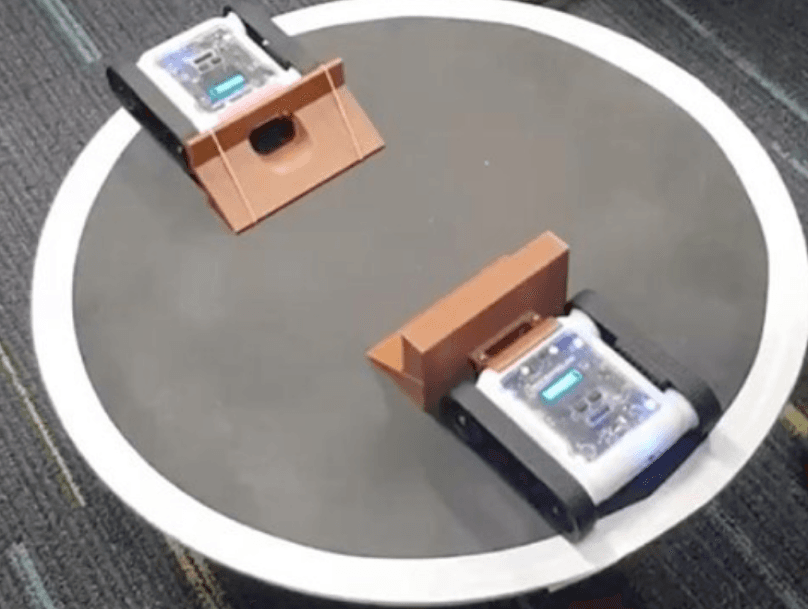
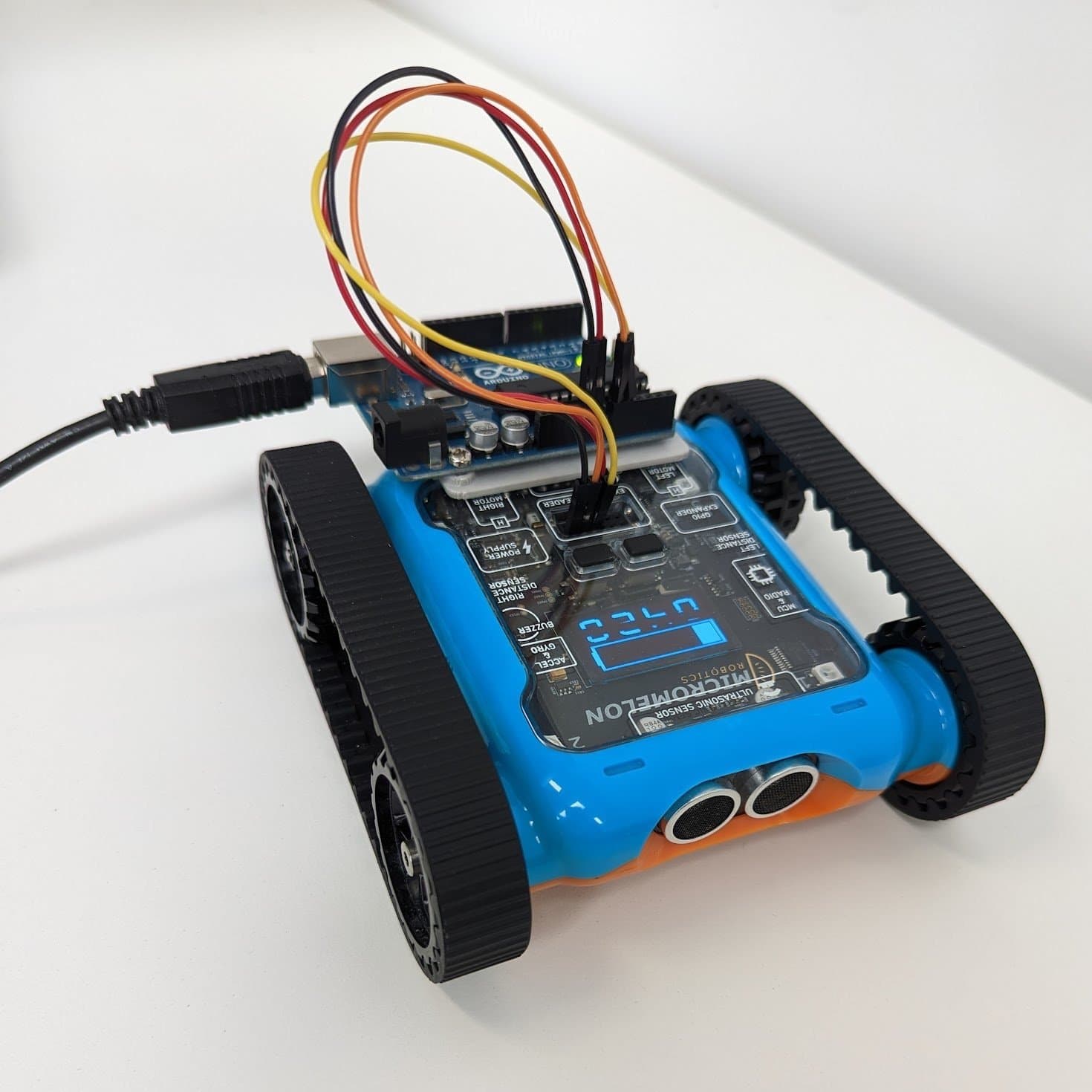
Sumo Rover with a 3D-printed attachment
Including 3D-printed attachments in your sumo unit gives students more creative freedom and lets you integrate an iterative design process into Digital Technologies classes. It also offers an introduction to manufacturing and industrial design concepts used in senior subjects.
Assessing Successful Sumo Solutions
The goal of running any Digital Technologies unit is to give students an opportunity to demonstrate understanding of the learning objectives through application. Assessment doesn’t have to be pass/fail based on whether the student wins a sumo match. Below we look at what makes a good sumo solution and different ways to create assessment items.
What Is A Good Sumo Solution?
In general, sumo algorithms can be categorised by complexity and efficiency.
Complexity: A sumo algorithm becomes more complex as more conditions are programmed in (most commonly through using more sensors). An algorithm that uses the accelerometer, IR, ultrasonic, and colour sensors is inherently more complex than one that uses only the colour sensor.
Efficiency: Sumo algorithms also need to be efficient at positioning and pushing opponent Rovers out of the ring. Efficiency requires understanding robotics concepts like acceleration, momentum, friction, and stability, even more so when 3D-printed attachments are involved.
Complexity vs Efficiency
In general, the more complex the algorithm, the more efficient it is, but this isn’t always true. Complex algorithms can still move poorly and be defeated by simpler ones. The difference between sumo and other Digital Technologies activities is that more advanced students can produce a less-complex algorithm that is still very efficient. We don’t want to punish them for having a simple but highly efficient algorithm.
A simple but highly effective sumo Rover from a workshop in Brisbane
In the example above, the winning Rover just moves slowly forward with a large attachment. It’s definitely not a complex algorithm, but the student has demonstrated an understanding of how to counter the opponent and built an efficient sumo Rover.
Balancing Complexity and Efficiency With Learning Objectives
The point of the sumo unit is to give students an opportunity to demonstrate understanding of the learning material. If students are creating simple but efficient algorithms, they may not be demonstrating the algorithmic design and data interpretation expected for their grade. It’s important to set expectations for how complex an algorithm you want, for example, by enforcing a minimum number of sensors used in the assessment criteria. We’ve included an example in the next section.
Defeating AI Opponents
The simplest way to gauge the quality of a sumo Rover is to see it battle. We don’t recommend making student-vs-student sumo battles a graded criterion, it doesn’t promote a healthy classroom environment when students compete for grades. You can still encourage them to battle each other for fun (chocolates or stationery can be friendly incentives).
For battles tied to marks, having students compete against an AI or pre-programmed opponent is much more fair. Every student faces the same opponent and has the same chance at a good grade. You can also include multiple opponents of varying difficulty to differentiate algorithm quality.
Below is an example task description for an assessment using three AI opponents from the Sumo activity in the Micromelon Robot Simulator. We require best-of-3 series so unexpected upsets (e.g. accidentally incapacitating their own Rover) don’t skew the result. Partial marks can be allocated for inconsistent wins.
Your objective for this assessment is to design, program, and reflect on an algorithm that runs on a Micromelon Rover to compete in the sumo arena. Your sumo algorithm must use at least 3 of the Rover sensors:
- Ultrasonic sensor
- IR distance sensors
- Colour sensors
- Accelerometer
- Gyroscope
Once you have finalised your algorithm you may battle the three AI opponents. You cannot change your algorithm between battles. Best-of-3 series:
- Defeat the EZ-PZ AI 2 times out of 3 (4 marks)
- Defeat the Artemis AI 2 times out of 3 (3 marks)
- Defeat the El Capitan AI 2 times out of 3 (3 marks)
Supporting Documentation
Give students a chance to demonstrate their understanding of programmatic thinking outside of code. This helps students who haven’t beaten their opponents, or who are still translating their thinking into code, demonstrate a satisfactory achievement level. The form is up to you, what matters is they explain the thinking behind their algorithm.
The supporting document can be submitted before or after the sumo code is written. If submitted before, students get a chance to think through their solution before jumping into code.
The algorithm design flowchart explains how you intend to program your sumo algorithm. It is completed before you begin programming. The flowchart should outline the steps your Rover follows when executing your algorithm, and show where you’ve used:
- Branching (IF/ELSE statements) (3 marks)
- Iteration (Loops) (3 marks)
- Sensor data: including what type of data the sensors generate (4 marks)
Assessing The Code Itself
It’s necessary to look at the code, but don’t judge a program purely on code quality. As with all programming assessment, two different programs may run with the same speed and efficiency but look completely different. Check student code to make sure they’re producing a genuine algorithm and not a hard-coded solution, but don’t base marking criteria on how clean the code looks. Instead, base marks on how the algorithm competes in the arena and on how students explain it.
Example Assignment Sheet
Below is an example assignment sheet you can use as a starting point for designing your assessment. The ruleset above is included.
Download Assignment Sheet (DOCX)
Download Assignment Sheet (PDF)
Building Knowledge Needed For Sumo
If your students aren’t at the skill level to write a sumo algorithm yet, here’s a general structure for teaching the required skills incrementally. Start at the step that feels most appropriate for how familiar your students are with coding and the Micromelon Rover. These steps don’t have to be rigid lessons, you may cover multiple in one lesson, or set some as homework.
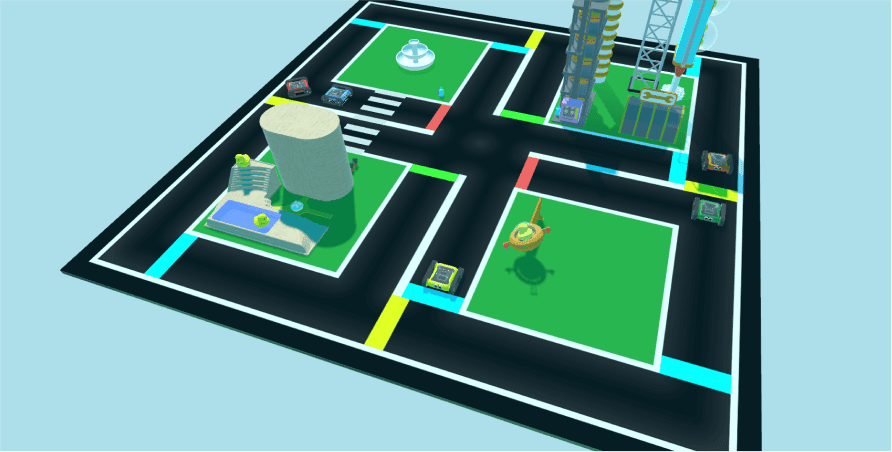
Sumo activity in the Micromelon Robot Simulator
We use the Robot Simulator throughout, it has built-in activities for learning sumo, plus a sumo arena with AI opponents and Rover attachments. Students can also access the Simulator from home for homework practice.
Step 1: Rover Movement
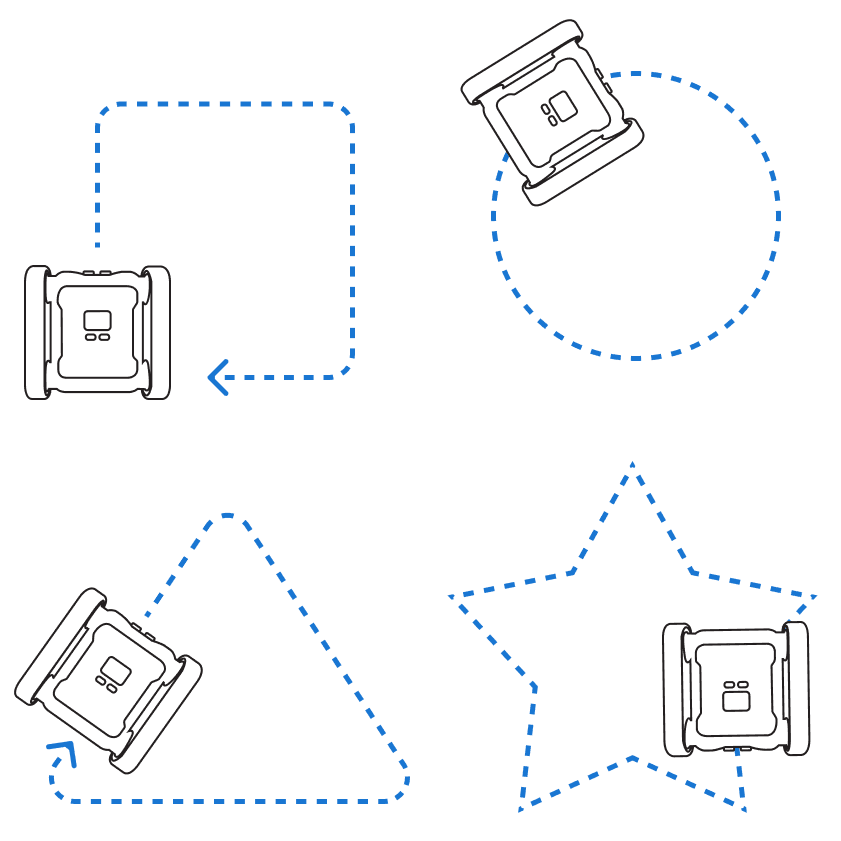
The primary challenge of sumo is navigating the arena. Students need to know how to program the Rover’s motors to move and turn. If your students are new to the Rover, start with Driving Shapes: a beginner activity that teaches the basics of moving forwards and turning, with potential for some loop usage. Run it from the Free Roam exercise in the Robot Simulator.
Step 2: Introducing The Colour Sensor, Branching, and Iteration
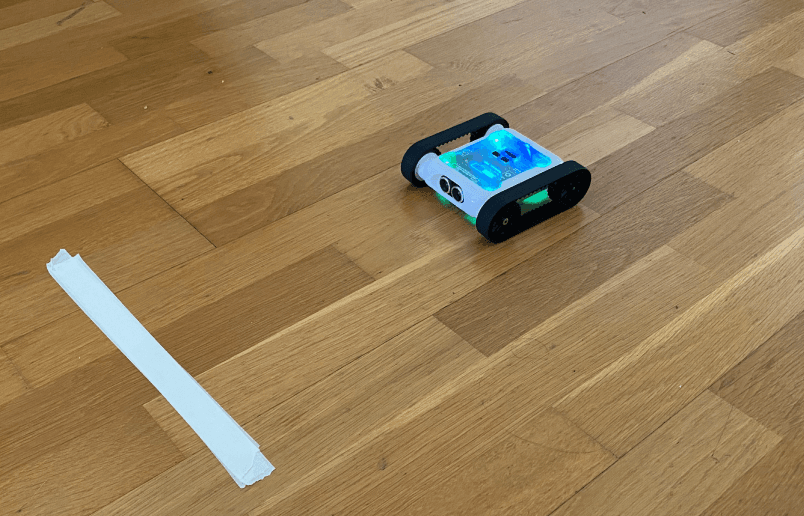
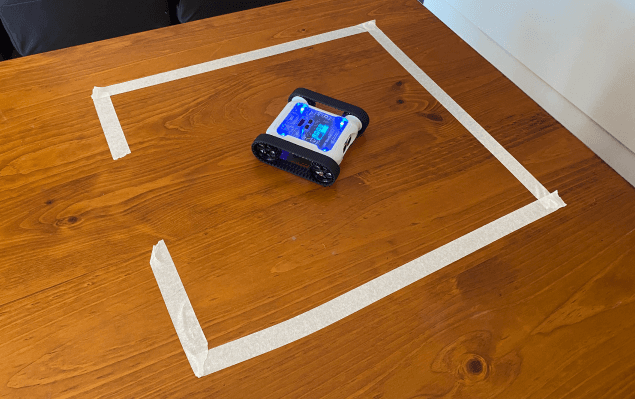
Once students have basic Rover programming down, move on to incorporating sensors using branching and iteration. Because the edge of the sumo arena is detectable with the colour sensor, this is a critical step, it’s how students keep their Rovers in the ring.
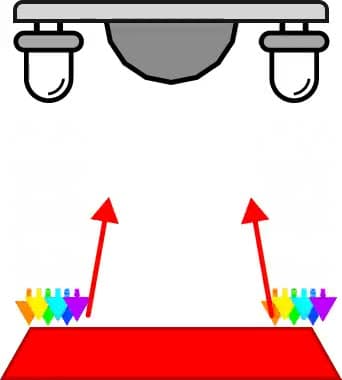
The Colour Sensor post covers the science behind how the sensor works, its limitations, and how to code it. If you’re short on class time, assign it as homework reading.
The activities Stop on Colour and Prison Escape are great for learning how to use sensor data in simple branching/iteration algorithms. Both are built into the Robot Simulator. The complexity required to complete these is similar to a very basic sumo Rover.
Step 3: Distance Sensors and More Complex Algorithms
A key part of any sumo algorithm is locating the opponent in the ring so you can attack. The front ultrasonic sensor and two side IR sensors are all distance sensors that detect the proximity of objects, including the opponent Rover. A thorough understanding of how these sensors work is important for a successful sumo algorithm.
The posts below cover the science behind each sensor, limitations and how to use them appropriately.
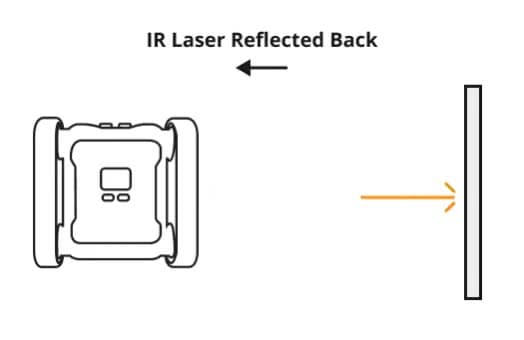
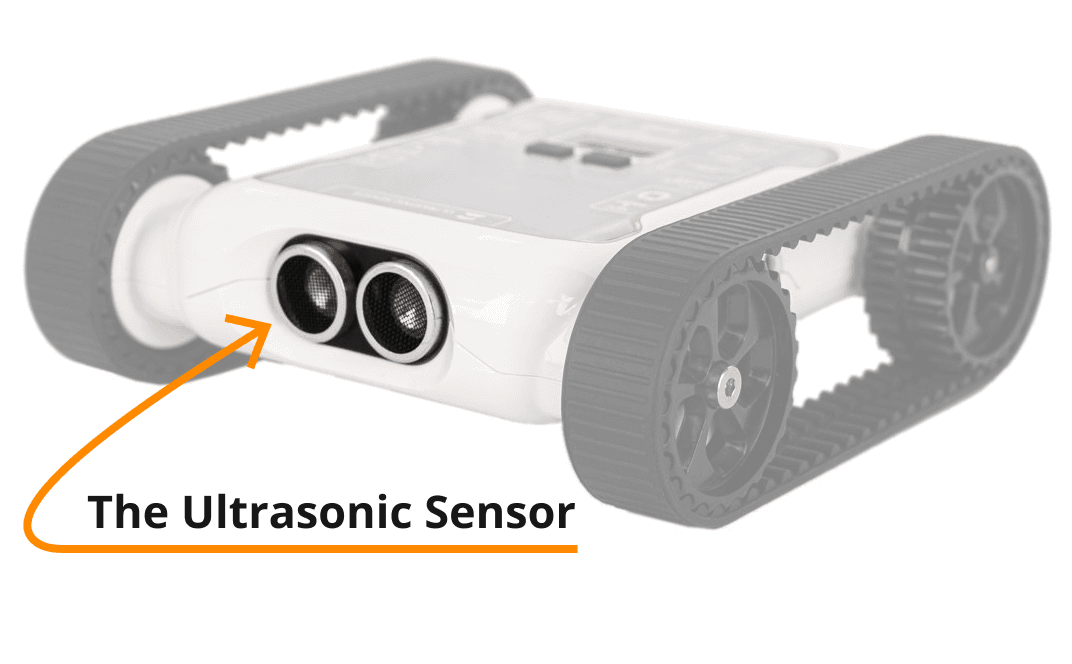
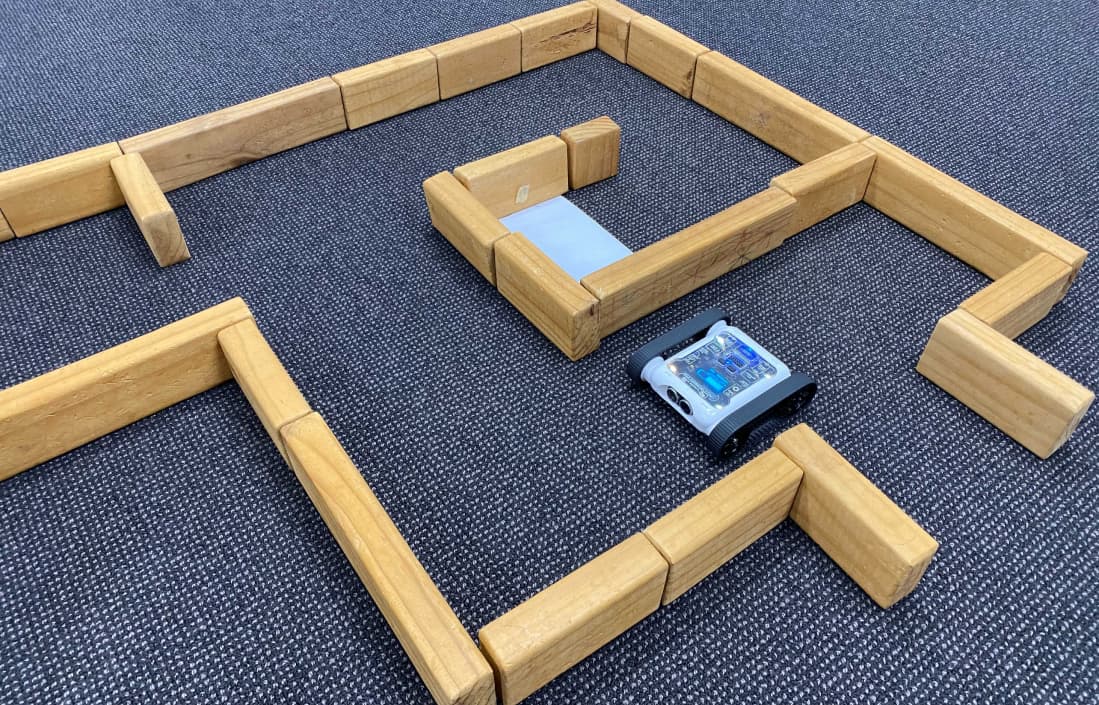
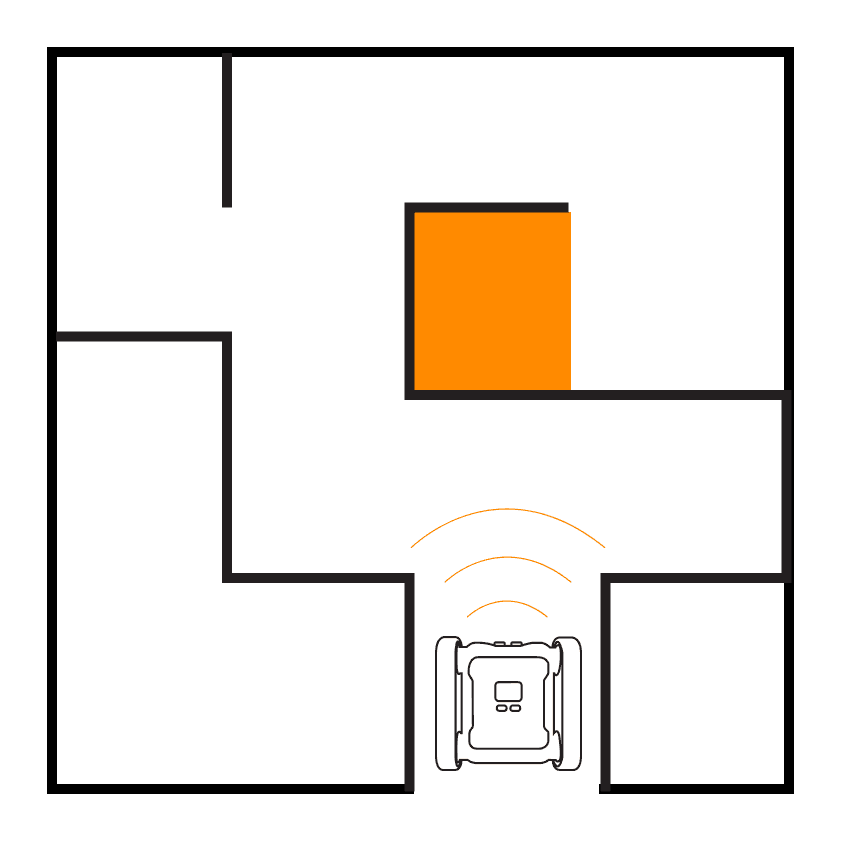
Maze challenges are great practice for distance sensing, solutions require using sensor data in conditional operators, plus practising IF / ELSE / ELSE IF branching and Loops.
Step 4: Practising In the Sumo Arena
Once students are familiar with all the required sensors and with branching and iteration, it’s time to jump into sumo battles. Treat this as time for sparring and iteration, no perfect algorithm was ever created on the first try. The more time students have to battle, the more effective their algorithms will become. If you’re using the Robot Simulator, students can practise their algorithms against the built-in AI Rovers.
Wrapping Up
In this post we’ve covered what sumo challenges are, what they teach, how to assess them, and how to prepare your students for them. Hopefully from here you can incorporate sumo into your Digital Technologies classroom.
If you’ve got any questions about running sumo challenges or about Micromelon Robotics, please feel free to get in touch.
Get in TouchSend us a message and we will get back to you within 1 business day.